Who to message. What to say. What to do today.
Outboundly turns what you sell into tailored LinkedIn outreach for your whole sales team, then into a short daily list each rep actually works. No automation, no blasting, no browser extension pretending to be you.
No automation. No browser extension. A real person sends every message: you, or our team.
One engine for the whole outbound motion.
Four things done well, in order, so outreach stops being a blank page and becomes a system you can run. Every screen below is the real product.
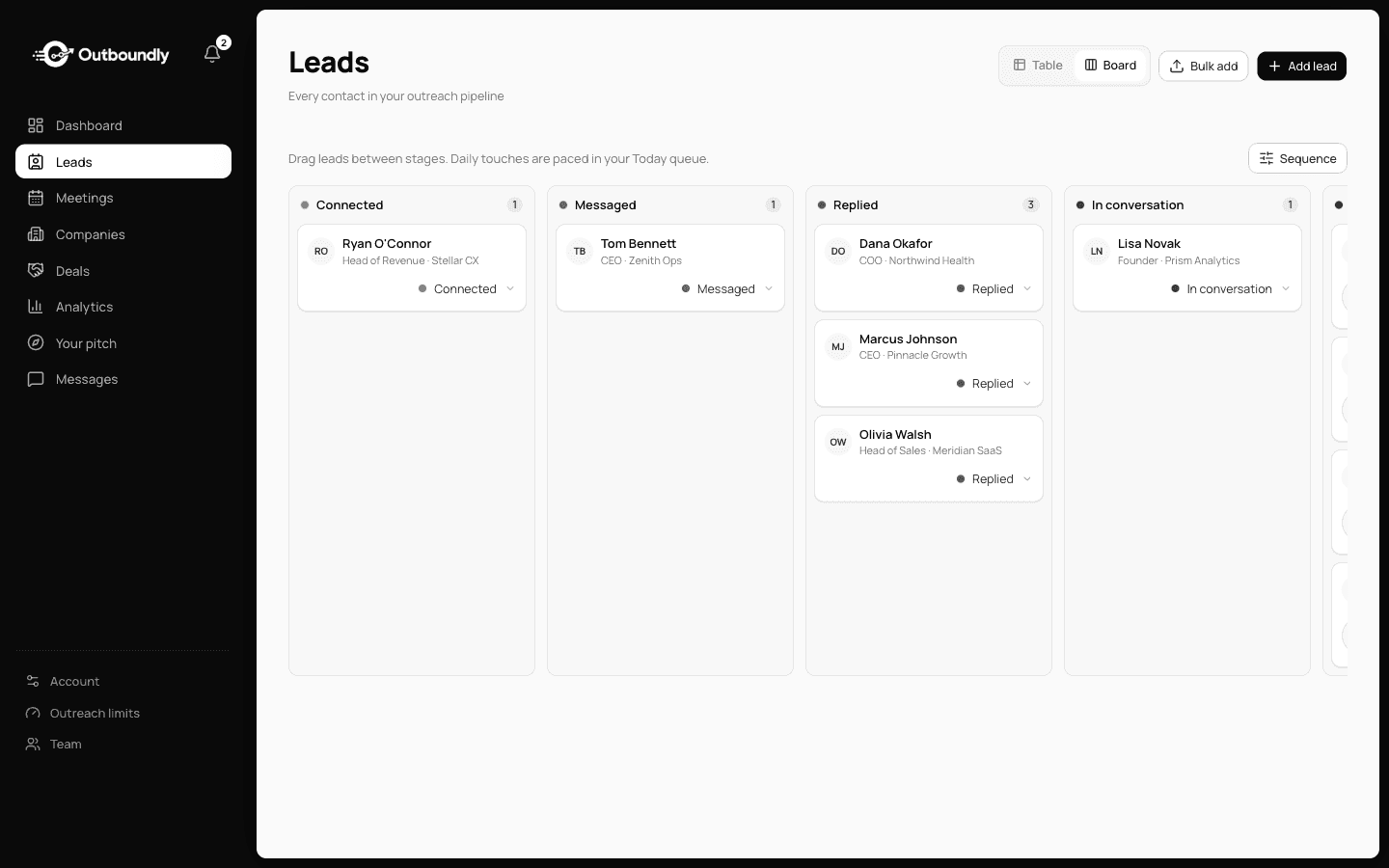
Reach the right people, and only the right people.
Bring a list or request one. Approve contacts one at a time, then watch them move across the board as conversations progress. Nothing is drafted for someone you did not choose.
- Import your own list or ask for one
- Approve or skip one contact at a time
- Every stage of the funnel on one board
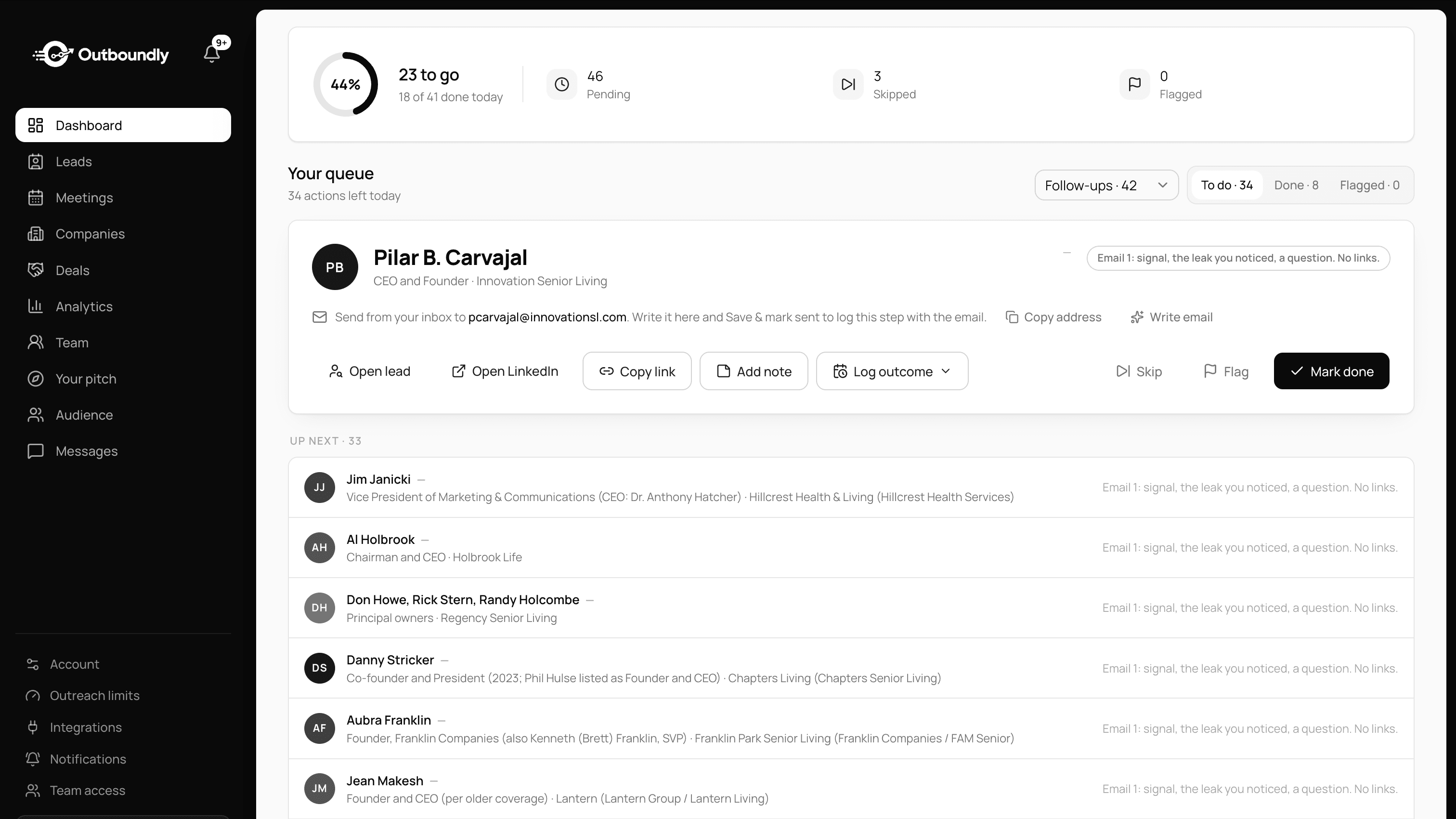
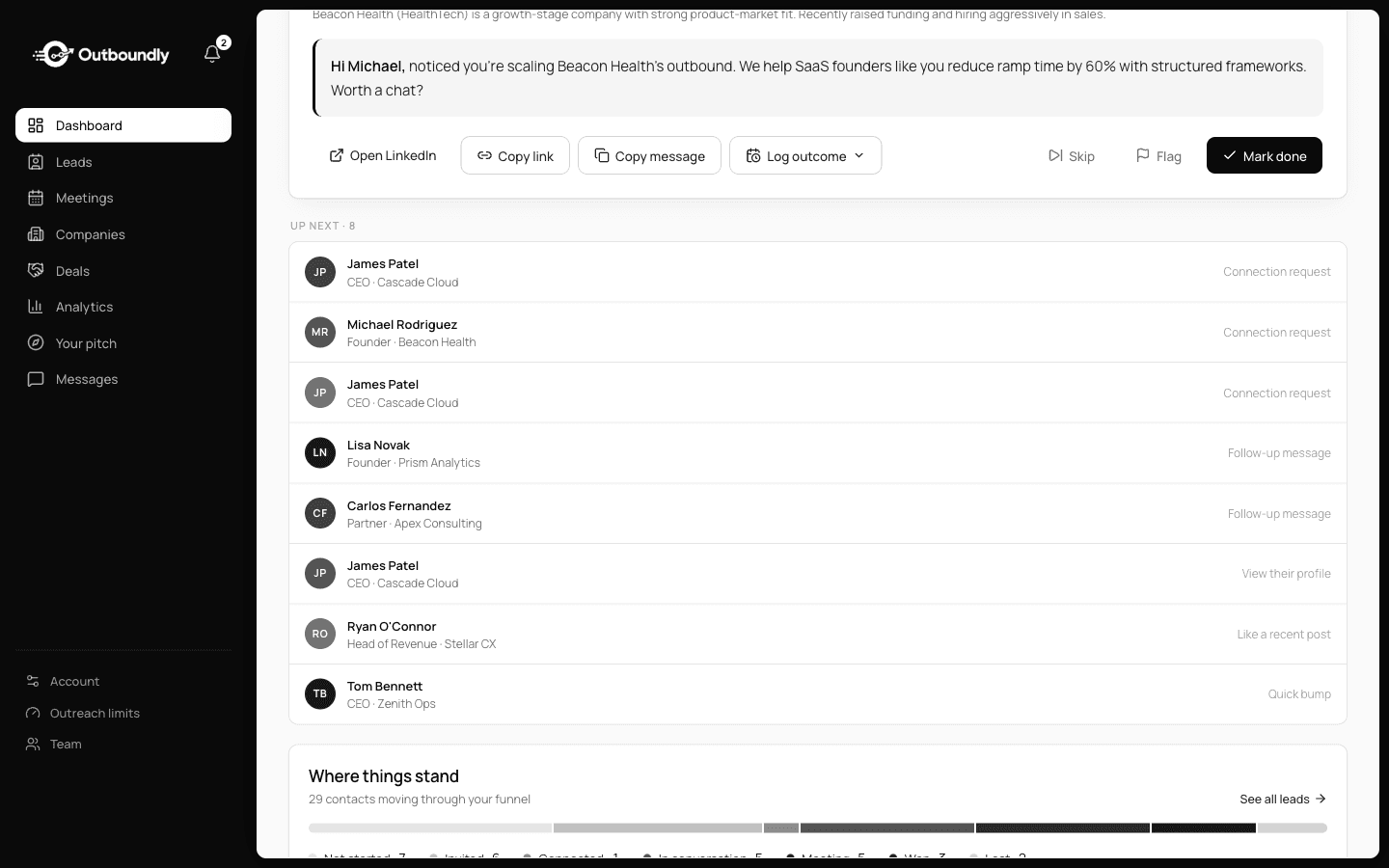
A short list every morning. Read, adjust, send.
The heart of it. Each day you get a finite set of contacts, each with the action to take and a message written for that person, not a template with a name slotted in. You do the human part, then the list ends.
- A list that finishes, not an endless queue
- Each draft written for that one person
- A person presses send, nothing fires on its own
The part everyone skips, scheduled for you.
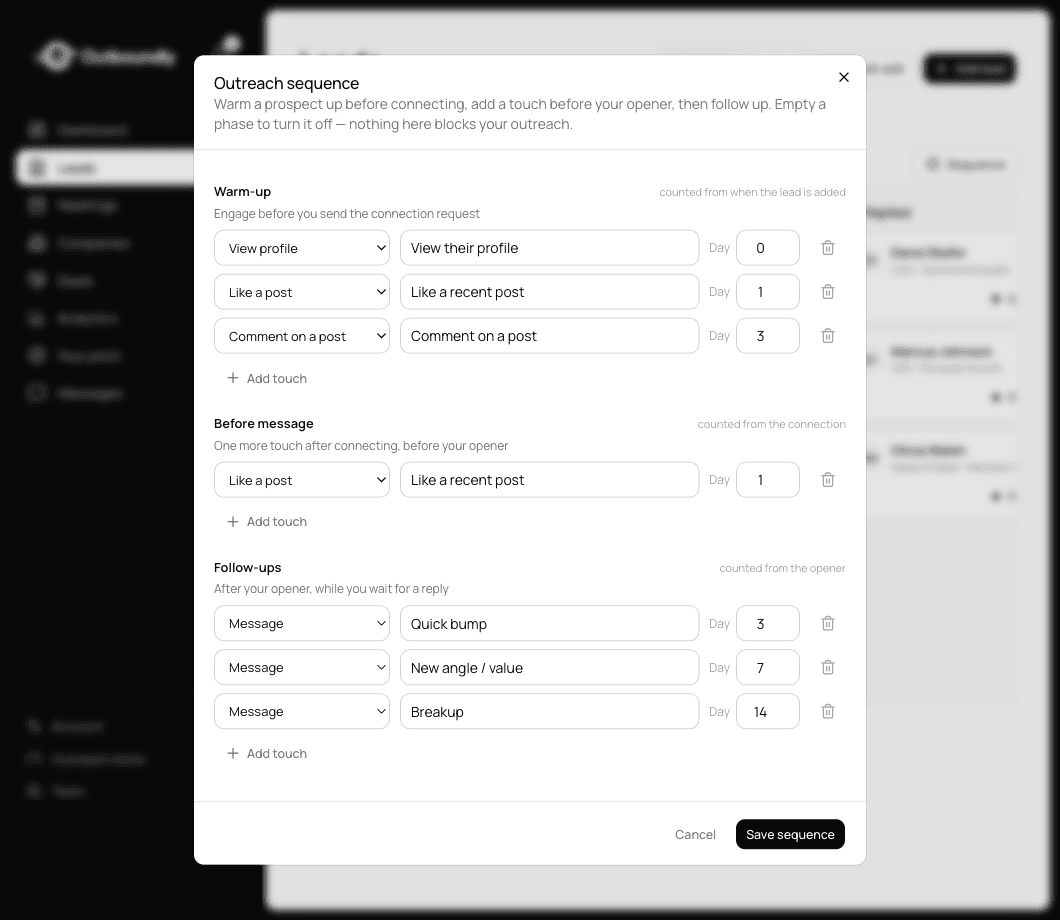
One cold message is not outreach. Outboundly runs a sequence per lead: warm up before you connect, one more touch after they accept, then a bump, a new angle and a breakup while you wait. Only three of the seven default steps are messages.
- Profile views, likes and comments, not just messages
- Each step timed from the last one you actually did
- Every step arrives as a task, never an auto-send
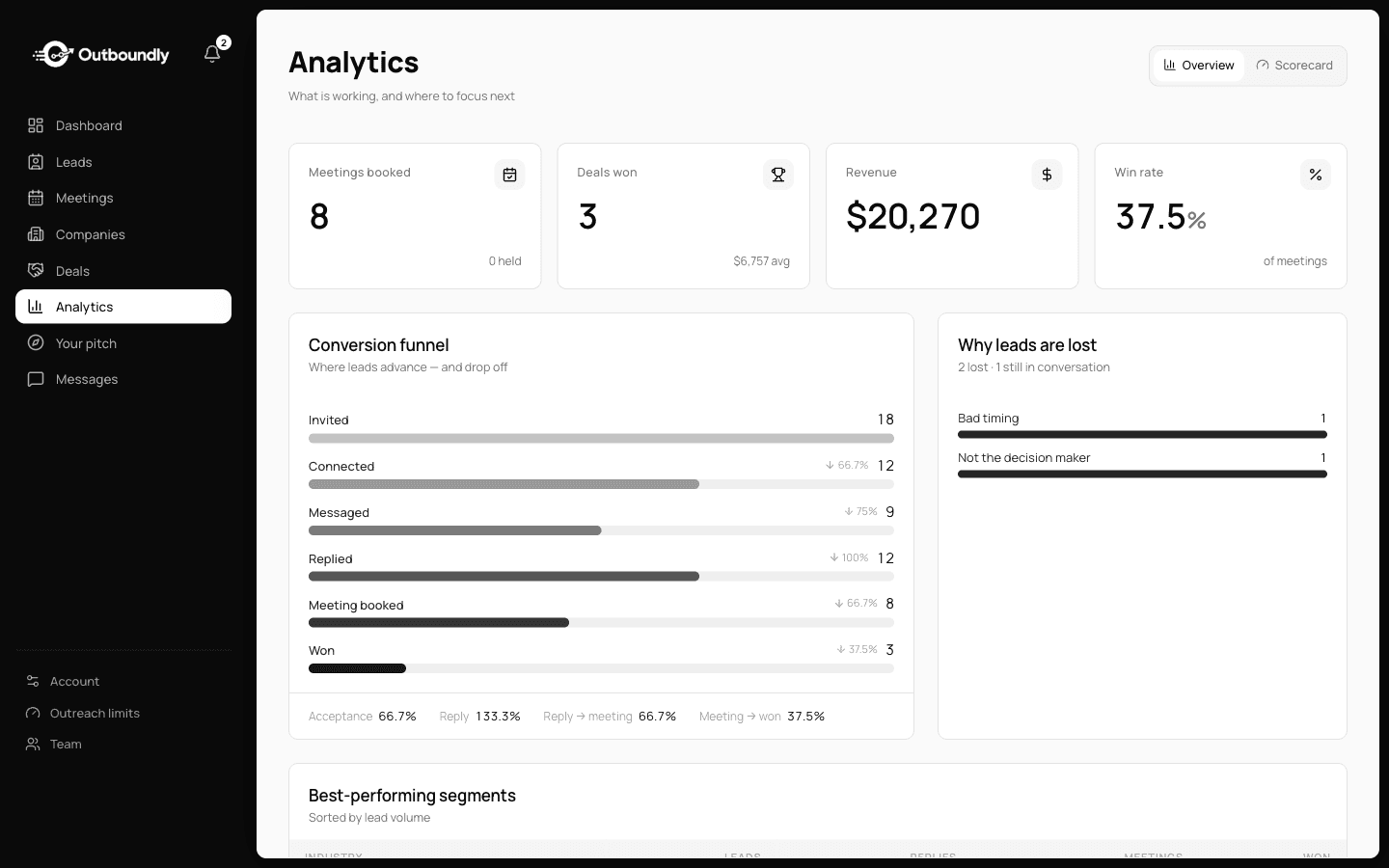
See what is landing. Write the next round sharper.
Mark how conversations go and the system turns it into a funnel you can read: where leads advance, where they drop off, and which segments are worth more of your morning.
- Conversion funnel from invite to won
- Reasons leads are lost, counted
- Segment performance, side by side
Set it up once, then run the loop.
Outboundly does the deciding and the drafting. You stay the human who reads the room and hits send.
- 01
Clarify the offer
Answer a short brief about what you sell and who buys it. Every message downstream is written from that foundation.
- 02
Approve the audience
Bring a list or request one. Review contacts one at a time and wave through only the people worth your time.
- 03
Work today's list
Open Today and your contacts are waiting, drafted and ordered. Work to the end of the list and close it.
- 04
Learn and repeat
Replies feed back in. You see which angles land, and the next batch is drafted with that in hand.
Not an automation platform. An operating system for a human.
Most outbound tools optimise for volume and quietly wreck your reputation. Outboundly optimises for the one thing that still converts: a relevant message from a real person.
No bot ever presses send
No extension, no scheduled queue, no bot on your LinkedIn account. A person reads every message and sends it: you, or our team on Done-for-you.
Positioning comes first
Most outreach fails before the first word because the offer is fuzzy. We start there, and everything downstream inherits it.
One system, not five tools
Setup, audience, sending and learning live in one place, so the motion compounds instead of scattering across tabs.
Built for people who sell with their own name on it.
Sales teams
Several reps on one system. Each sends from their own LinkedIn profile, and you see every profile's results in one place.
Agencies and consultancies
Partners who win clients on LinkedIn, where the first message is the whole impression.
Recruitment firms
Winning new clients on LinkedIn with messages that do not read like a template.
Founders
Selling before there is a sales team, then handing the motion to one when there is.
Priced by the seat. Run it yourself or have us run it.
Running more than 3 profiles, or several teams? Enterprise is priced to fit.
See all plansLearn the craft before you send a thing.
Our most-read guides on LinkedIn outreach: who to reach, what to say, and how to stay on the right side of LinkedIn's rules.
The things people ask before they start.
Is Outboundly a LinkedIn automation tool?
No. No bot or extension acts on your LinkedIn account. Outboundly decides who to reach and drafts the message, then a person sends it. On the Platform that is you. On Done-for-you our team sends every message, and you review the audience and the messages first.
Is LinkedIn automation safe?
LinkedIn's User Agreement does not allow bots or other unauthorised automated methods to send messages or add contacts, and accounts that run automation tools risk being restricted. Outboundly runs nothing on your account: it decides who to reach and drafts the message, and a person sends it.
Do the follow-ups send themselves?
No. Each step of the sequence becomes a task in your daily list on the day it is due, alongside a draft where the step is a message. Nothing leaves your account until a person sends it: you, or our team on Done-for-you.
Do I need my own audience list?
You can bring one or request one. Either way you approve contacts individually before anything is drafted for them.
Can I edit the messages?
Always. A draft is a starting point you own, not a locked output. Rewrite as much or as little as you want before sending.
What happens if I miss a day?
Nothing breaks. The list waits for you and you pick it up when you are back.
Can a sales team run outreach from several LinkedIn profiles?
Yes. LinkedIn accounts are personal, so each rep sends from their own profile, never a shared login. Outboundly gives every profile its own daily list in one workspace, with combined reporting across the team and detail per profile.
Stop blasting. Start a real conversation.
Set up your offer, approve a first list, and send outreach that sounds like you tomorrow morning.